
You Do Not Have to Scroll for Hours Anymore
Finding the right tattoo used to mean spending days on Pinterest, Instagram and Reddit trying to piece together something that felt genuinely yours.
That process is over.
Artificial intelligence now creates entirely original tattoo designs based on your input. Style, mood, theme, body part, size, detail level. You describe it. The AI builds it.
The results are not generic flash designs. They are personalized concepts that no one else has.
Why AI Tattoo Design Is Taking Over
The numbers tell the story clearly.
Over 40 million people searched for tattoo ideas online last year. The majority reported feeling unsatisfied with what they found because nothing felt specific enough.
AI solves this by responding to nuance. You are not picking from a catalog. You are collaborating with a system that generates something new each time.
The Best AI Tools for Tattoo Discovery Right Now
Midjourney for Tattoo Concepts
Midjourney remains the most powerful image generation tool available for creating tattoo reference art.
With the right prompt structure, it produces stunning tattoo-ready designs in fine line, blackwork, neo-traditional and Japanese styles.
The learning curve is low. You type a description, it creates the image, you refine it with follow-up prompts.
Example prompt: “Fine line botanical tattoo sleeve, realistic detailed roses and ferns, black ink only, white background, tattoo design reference”
Stable Diffusion With Tattoo LoRA Models
Stable Diffusion is a free open-source image generator. When combined with community-trained tattoo models, it produces designs that match specific tattoo aesthetics with high precision.
This tool requires a bit more setup but gives you complete control over the output and is entirely free to use.
Tattoo AI App
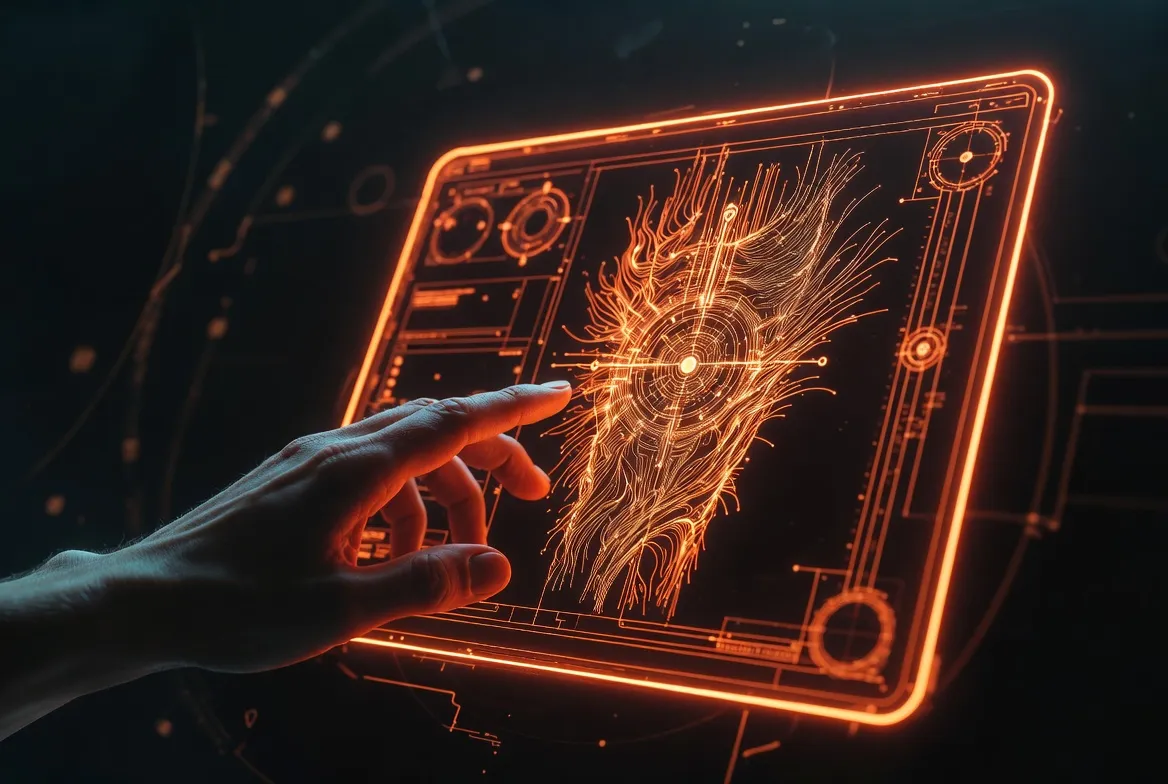
The Tattoo AI app is built specifically for this use case. You describe the tattoo you want, choose your style, and the app generates multiple options.
You can then preview how the result looks on your skin directly from the app.
It is the most streamlined option for people who want results without any technical friction.
How to Talk to AI So It Gives You the Right Tattoo
The quality of your result depends entirely on the quality of your prompt.
Here is a framework that consistently produces strong tattoo designs:
Step 1: Describe the subject
What is the main element? An animal, a symbol, a phrase, a natural form?
Step 2: Choose a style
Fine line, blackwork, watercolor, geometric, realism, neo-traditional, Japanese, tribal
Step 3: Set the placement
Forearm, back, chest, ribs, shoulder, calf, ankle
Step 4: Define the tone
Dark and dramatic, delicate and feminine, bold and graphic, minimal and clean
Step 5: Add details
Flowers, geometric shapes, dotwork background, shading style, negative space use
Combine all five into a single sentence and your AI output will be dramatically more specific and usable.
Comparison Table: AI Tattoo Generation Tools
| Tool | Type | Free Access | Custom Style | Skin Preview | Best For |
|---|---|---|---|---|---|
| Midjourney | Image generator | No (subscription) | Yes | No | High quality design concepts |
| Stable Diffusion | Image generator | Yes | Yes (with setup) | No | Advanced customization |
| Tattoo AI App | Mobile app | Yes (limited) | Yes | Yes | Quick personal designs |
| Adobe Firefly | Web tool | Yes (credits) | Yes | No | Clean, printable references |
| DALL-E 3 | Web / API | Yes (credits) | Yes | No | Fast concept generation |
Graph Description: AI Tattoo Tools Compared by User Satisfaction
Title: User Satisfaction Ratings Across Top AI Tattoo Design Tools
Type: Horizontal bar chart
What it compares: Average satisfaction score (1 to 10) from user reviews across Midjourney, Tattoo AI App, Adobe Firefly, Stable Diffusion and DALL-E 3, specifically for tattoo design output quality
Key insight: Tattoo AI App scores highest for ease of use and immediate applicability. Midjourney scores highest for design quality but lowest for accessibility among non-technical users.
Why it matters: Readers can immediately identify which tool fits their skill level and expectations without wasting time testing tools that do not match their needs.
Design Your Tattoo With AI Right Now
Describe what you want. Get a custom tattoo design in seconds.
The design you have been imagining is one prompt away.


What Tattoo Artists Think About AI-Generated Designs
The conversation in tattoo studios has shifted.
A growing number of professional tattoo artists now welcome AI-generated references. Not because AI replaces their creativity, but because it gives clients a language for communicating what they actually want.
Common feedback from artists includes:
- Clients arrive with clearer, more specific references
- Fewer revisions needed during design consultation
- Less time spent explaining style differences
- More confident decision-making from the client side
The result is better tattoos and more satisfied clients on both sides of the machine.
The One Thing AI Still Cannot Do
AI generates visuals. It cannot assess your skin tone, your pain tolerance, the way your skin ages, or the artist’s specific technique.
That is why AI is a starting point, not a replacement for a skilled artist.
Use AI to discover what you want. Use a professional to make it permanent.
Building Your Perfect Tattoo Concept: A Step-by-Step Guide
See How It Looks on Your Skin
After generating your design, preview it live on your body with this app.
Real placement. Real size. Real confidence before you commit.
This process works whether you use Midjourney, the Tattoo AI app, or any other generator:
1. Start with mood, not subject
Ask yourself: what do I want to feel when I look at this tattoo in 20 years?
2. Pick one anchor element
Choose one central image or symbol. Do not try to include everything in the first attempt.
3. Choose a style before choosing a design
Style determines longevity. Fine line ages differently than blackwork. Know this before generating.
4. Generate at least 10 variations
Do not stop at the first result. The 8th or 9th variation is often the breakthrough.
5. Combine the best elements manually
Take the composition from one result and the detail level from another. Bring both to your artist as references.
6. Preview on your body
Use a preview app like Inkhunter to test placement before the appointment.
Using AI to Find and Design Your Next Tattoo
1. Can AI design a completely original tattoo for me?
Yes. Tools like Midjourney and Tattoo AI generate images that do not exist anywhere else. Every output is unique to your prompt.
2. Do I need to know how to draw or use complex software?
No. The Tattoo AI app requires no design skills at all. You describe what you want in plain language and the app does the rest.
3. Can I copyright an AI-generated tattoo design?
This varies by country and is still an evolving legal area. In most cases, AI outputs are not copyrightable in the traditional sense. Discuss this with your artist before finalizing.
4. How do I turn an AI image into a tattoo stencil?
Your tattoo artist can convert any high-resolution image into a stencil. Just bring the highest resolution version of the AI output you can export.
5. What is the best AI tattoo tool for someone with no tech experience?
The Tattoo AI app is the most beginner-friendly option available right now, on both iOS and Android.
6. Can I get an AI tattoo design for free?
Yes. Adobe Firefly, the Tattoo AI app and Stable Diffusion all offer free access with varying limitations.
7. Is AI better than browsing Pinterest for tattoo ideas?
AI is better for specificity. Pinterest is better for discovering trends. The ideal workflow uses both: browse Pinterest to find your general direction, then use AI to create something specific to you.
